



















































Wheely 8: A Charming Point-and-Click Adventure for Puzzle Fans
About Wheely 8
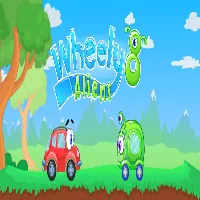
The eighth installment in the beloved Wheely series takes our favorite little red car on an extraterrestrial adventure. After a peaceful picnic gets interrupted by a UFO, Wheely finds himself transported to an alien planet where he must navigate strange landscapes, solve clever puzzles, and help friendly extraterrestrials to find his way back home. The game maintains the series' signature charm with hand-drawn visuals, whimsical animations, and that perfect balance of accessibility and brain-teasing challenge that has made these games classroom favorites for years.
Like many browser-based puzzle adventures, Wheely 8 runs smoothly on most devices without requiring downloads or installations. This makes it a popular choice for quick gaming sessions during breaks, and you'll often find it featured on various unblocked games platforms that students and casual players frequent.
How to Play Wheely 8
The gameplay follows the classic point-and-click formula that series veterans will recognize immediately. Each level presents a self-contained scene where Wheely needs to reach the exit—usually a red flag or portal. The path forward is blocked by obstacles, gaps, mechanisms, or logic puzzles that require careful observation and experimentation.
Core Gameplay Loop
- Observe: Scan the entire scene for interactive elements—levers, buttons, ramps, movable objects, and NPCs.
- Experiment: Click elements in different sequences to understand cause-and-effect relationships.
- Solve: Chain interactions together to create a clear path for Wheely.
- Advance: Click Wheely himself to make him drive forward once the path is clear.
There's no time limit, no lives system, and no penalty for trial and error. This relaxed pacing is exactly why the series works so well as a classroom game or stress-free evening wind-down.
Controls
The control scheme couldn't be simpler, which is part of the game's universal appeal:
| Action | Input |
|---|---|
| Interact / Click | Left mouse button / Tap (touchscreen) |
| Move Wheely | Click on Wheely when path is clear |
| Navigate menus | Mouse / Touch |
No keyboard inputs required. The entire game is playable with just a mouse or finger, making it perfectly suited for tablets, Chromebooks, and older hardware.
Features
- 15+ Unique Levels: Each with distinct visual themes—alien cities, crystalline caves, high-tech facilities, and more.
- Progressive Difficulty: Early levels teach mechanics gently; later stages combine multiple puzzle types.
- Hidden Collectibles: Two small wheels hidden in each level for completionists.
- Zero Text Dependency: Purely visual storytelling—language barrier free.
- Auto-Save: Progress saves automatically in your browser.
- Lightweight: Loads in seconds on modest connections.
Tips and Strategies
General Approach
Click everything once before thinking. The game rewards curiosity. Many interactive elements don't look obviously clickable until you hover over them. A quick systematic sweep of each screen reveals levers behind crates, buttons disguised as rocks, and aliens waiting for a specific trigger.
Watch for Visual Cues
Subtle animations—a blinking light, a slight wobble, steam venting—almost always indicate something interactive. The developers communicate almost entirely through visual language.
Think in Sequences
Later puzzles require multi-step solutions: lower a platform, activate a conveyor, time a moving obstacle, then release Wheely. If you're stuck, work backward from the goal. What needs to happen immediately before Wheely can exit? What enables that condition?
Collectibles
The two hidden wheels per level are often tucked behind foreground objects or require solving an optional micro-puzzle. They don't affect progression but unlock a bonus scene if you find them all.